DAY-2: Linux Internals — Understanding SysCall boundary, Interrupts, Kernel threads
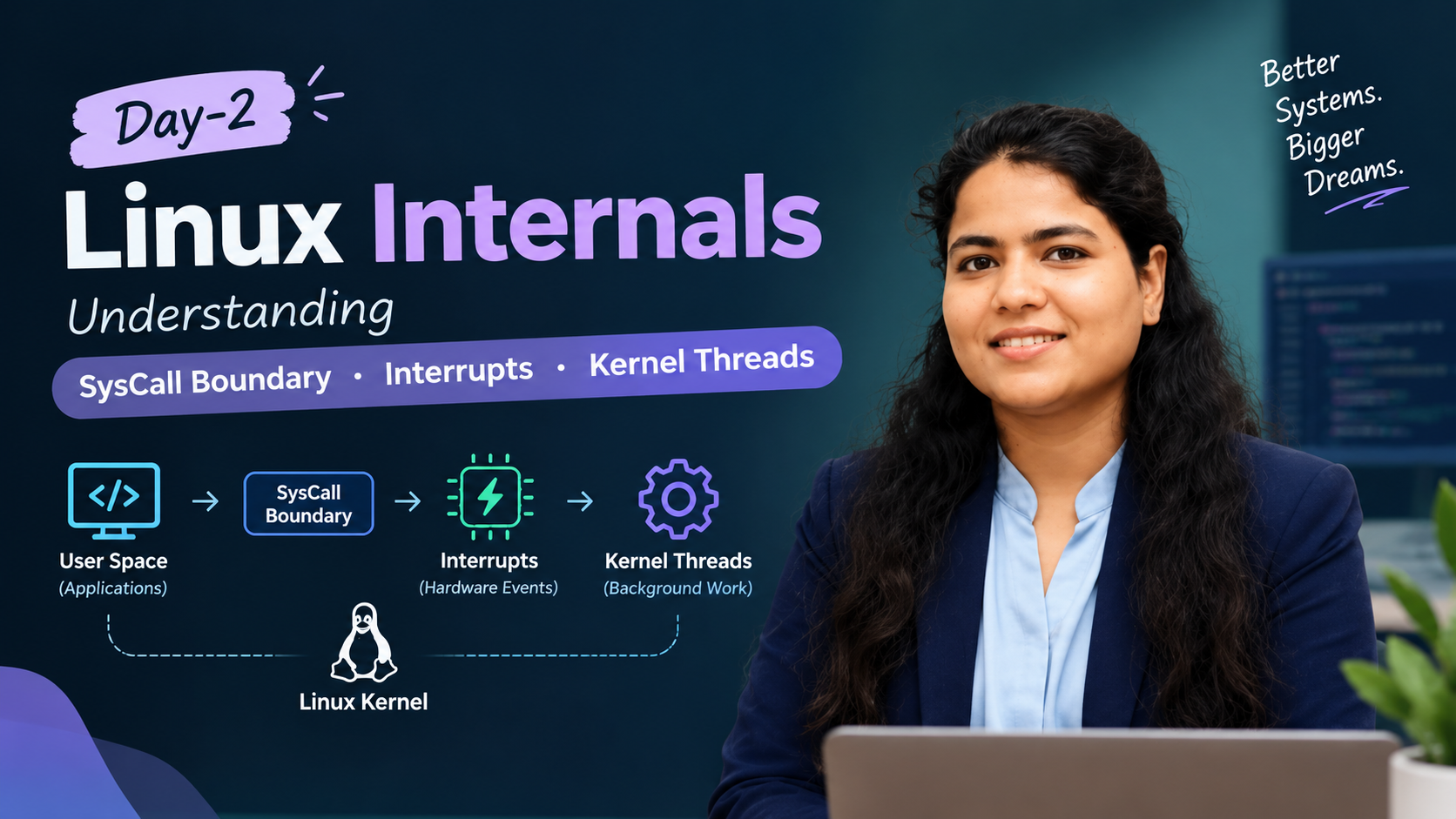
1. SysCall boundary:
The system call boundary is the controlled transition between user mode, where applications run, and kernel mode, where the operating system performs privileged operations.
An application cannot simply access any hardware or kernel memory it wants. It requests services through defined interfaces.
For example, when a Python program reads a file, it ultimately needs the operating system to provide file data. It may call a library function, which eventually invokes a system call such as read(). How the boundary works
The transition is controlled by the CPU and kernel. The exact entry mechanism depends on the processor architecture.
By using SysCall boundary, we can control calls between container and host kernel which help us to manage security.
- The Default State (Too Much Permission)
By default, the Linux kernel has around 400+ system calls. A standard Docker container or Kubernetes pod automatically gets access to about 300 of them. Most web applications (like a Node.js API or a Python microservice) only actually need about 30 to 50 syscalls to run. The rest are unnecessary risks.
- Restricting the "What" (Type of Syscall)
Using a Seccomp Profile (a simple JSON file), you can explicitly define the whitelist. • You allow: read, write, epoll_wait (standard things needed to serve web traffic). • You block: reboot (so a container can't shut down the actual bare-metal server) or ptrace (which allows a container to spy on other processes running on the host) [samouelyoussry].
Who is doing the Syscall?
Linux manages the "who" using standard user IDs (UID). If your container runs as root (UID 0), the kernel boundary grants it a lot more leeway when executing allowed syscalls. If you force your container to run as a non-root user (e.g., UID 10001), the kernel will block syscalls that try to modify host-level network routing or mount disks, even if the syscall itself is technically allowed.
By controlling who (non-root users) and what (Seccomp filters), you successfully harden the container-to-kernel boundary!
Implementing it in Kubernetes:
As a DevOps engineer, we can apply these permissions directly in your deployment manifests inside the securityContext.
apiVersion: apps/v1
kind: Deployment
metadata:
  name: secure-web-app
spec:
  template:
    spec:
      securityContext:
        # This tells Kubernetes to restrict the syscall boundary
        seccompProfile:
          type: RuntimeDefault
      containers:
      - name: web
        image: nginx:alpine
API vs system call:
- API: An interface an application uses, such as a library function.
- System call: A request that crosses into the kernel.
- System call wrapper: Library code that may prepare and invoke a system call. Not every API call requires a system call. For example, calculating a string's length usually needs no kernel involvement. A library function may also perform work entirely in user space before making a syscall. Hands-on Run these in your Linux terminal or WSL: strace -e trace=openat,read,close cat /etc/hostname
strace shows system calls made by the process. You should see calls such as openat(), read() and close().
if I see as devops strace can help investigate why a process cannot open a file, is repeatedly checking paths, or is waiting on a system call.
2. Interrupts
What is an interrupt?
An interrupt is an event that causes the CPU to pause its current execution path and run an appropriate handler. Hardware devices commonly use interrupts to notify the kernel that something needs attention.
Imagine a network interface card (NIC) receives packets. Without a notification mechanism, the CPU might need to keep checking the device repeatedly. Interrupts allow the device to signal that work is available.
There are 2 types of interrupts:
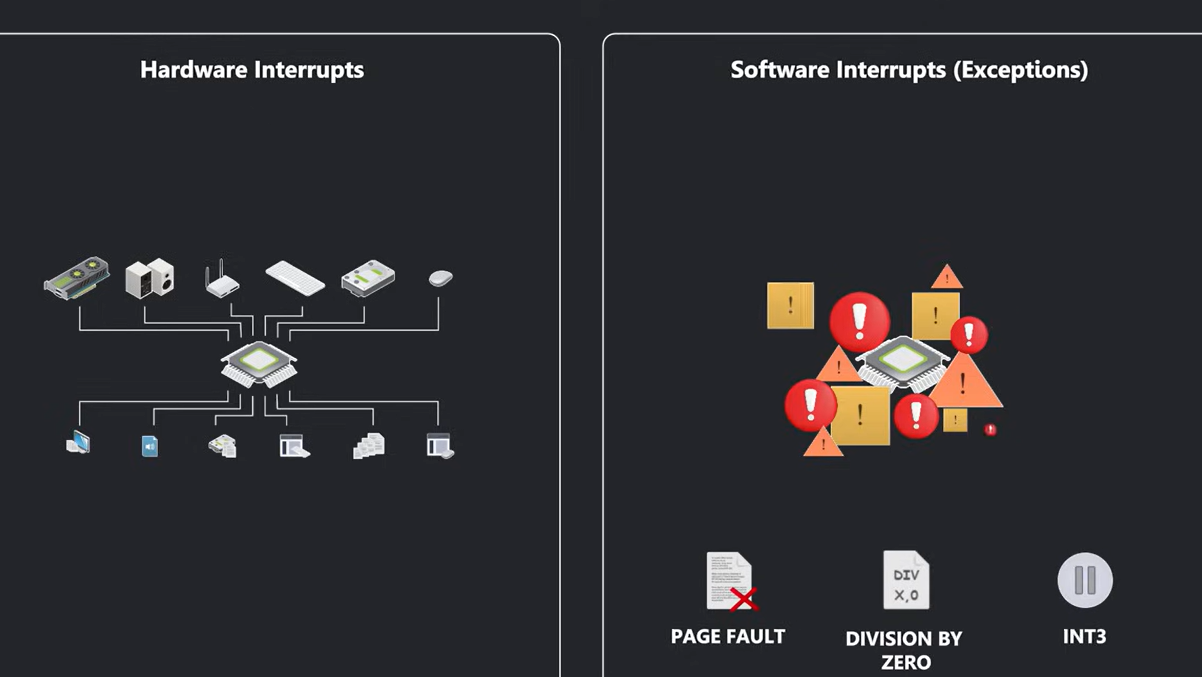
a) Hardware Interrupts:
These are basically asynchronous interrupts generated by hardware devices.
b) Software Interrupts:
Software interrupts are exception, which is basically divided into 3 parts:
a) Fault
b) Trap
c) Abort
like hardware interrupts, software interrupts also require processor attention immediately.
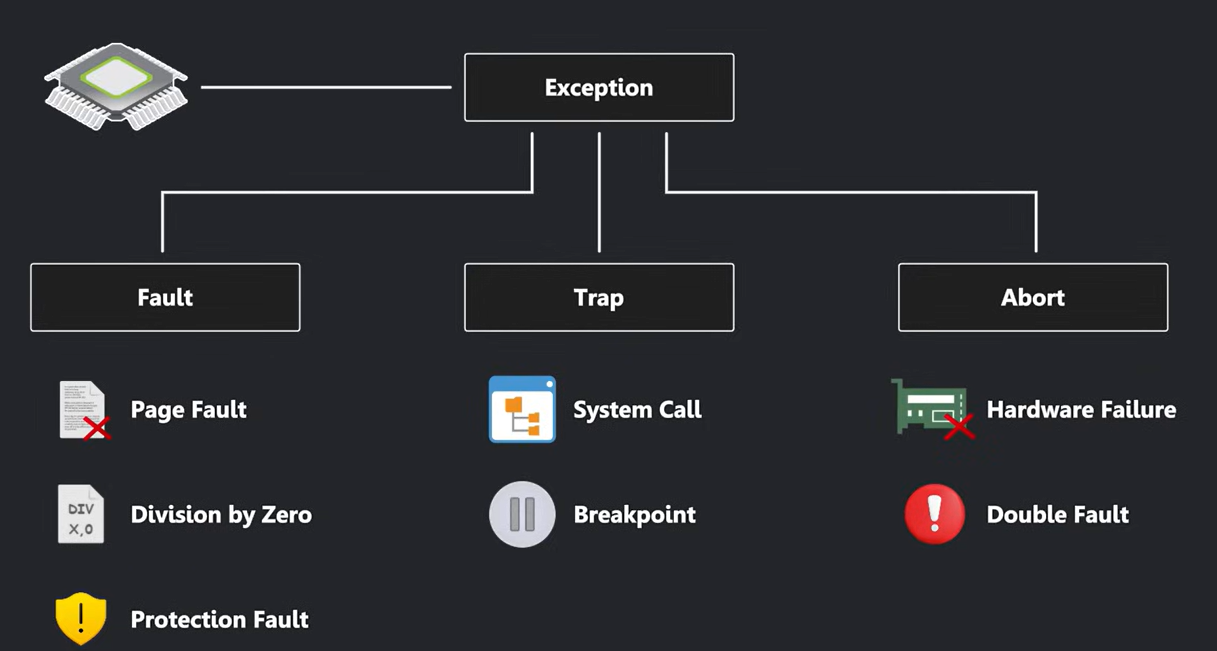
In case of devops Interrupt distribution can matter when troubleshooting high packet rates, storage performance, CPU hotspots, or uneven hardware workload.
3. Kernel threads :
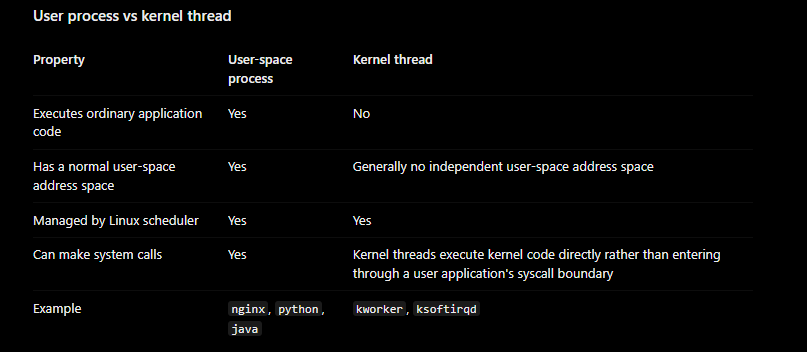
A kernel thread is a schedulable task managed by the Linux kernel that performs kernel-level work. Unlike a typical user-space process, it does not execute an ordinary user-space application.
Kernel threads handle work such as memory management, background writeback, and deferred processing.
Examples you may encounter include:
- ksoftirqd/N — per-CPU deferred SoftIRQ processing.
- kworker/N:M — kernel workqueue tasks.
- kswapd — background memory reclamation.
- migration/N — associated with per-CPU task migration and scheduling.
Thank you for giving your precious time to read this blog/article, I hope it’s help you to setup monitoring system in your cluster. if any suggestions or improvements are required on my blogs feel free to connect on LinkedIn Unnati Gupta. Happy Learning 💥🙌**!!**
#Linux #LinuxInternals #DevOps #SRE #LearningInPublic
About the author
👨💻 DevOps Architect @ Hippo Technik, LLC Passionate about bridging the gap between development and operations, I'm a dedicated DevOps Engineer at 6D Technology. With a strong belief in the power of automation, continuous integration, and continuous delivery, I thrive in optimizing software development pipelines for efficiency and reliability. 🚀 Exploring the DevOps Universe In my articles, I delve into the fascinating world of DevOps, where I share insights, best practices, and real-world experiences. From containerization and orchestration to CI/CD pipelines and infrastructure as code, I'm here to demystify the complex and empower fellow developers and ops enthusiasts. 📝 Blogging for Knowledge Sharing As a tech enthusiast and a lifelong learner, I'm committed to sharing knowledge. My articles aim to simplify complex concepts and provide practical tips that help teams and individuals streamline their software delivery processes. 🌐 Connect with Me Let's connect and explore the ever-evolving landscape of DevOps together. Feel free to reach out, comment, or share your thoughts on my articles. Together, we can foster a culture of collaboration and innovation in the DevOps community. 🔗 Social Links LinkedIn: https://www.linkedin.com/in/unnati-gupta-%F0%9F%87%AE%F0%9F%87%B3-a62563183/ GitHub: https://github.com/DevUnnati 📩 Contact Have questions or looking to collaborate? You can reach me at unnatigupta527@gmail.com Happy Learning!!
Comments
Join the discussionNo comments yet. Be the first to comment.